Augmentations
Augmentations randomly transform training images during each training epoch to increase dataset diversity without additional data collection. This improves model generalization and robustness against real-world variation.
Augmentations are divided into two groups within the processing pipeline:
- Static Augmentations — applied first in a fixed order
- Dynamic Augmentations — user-orderable; can be applied multiple times
Image Composition
Image Composition generates synthetic training images by randomly placing object cutouts onto background images. It is configured as a Begin augmentation and is only available for object detection projects.
Composite images are generated during training by randomly placing objects and/or background images based on per-label settings.
Global parameters:
| Parameter | Description |
|---|---|
| Min Rotation | Minimum rotation angle for placed objects (default: −10°) |
| Max Rotation | Maximum rotation angle for placed objects (default: 10°) |
| Allow Overlap | Whether placed objects may overlap each other |
| Max Overlap % | Maximum allowed overlap between objects (0–1, default: 0.5) |
| Min Objects per Image | Minimum number of objects placed per generated image (default: 5) |
| Max Objects per Image | Maximum number of objects placed per generated image (default: 20) |
Per-label settings:
| Parameter | Description |
|---|---|
| Scale (cm) | Size range objects can appear in |
| Probability | How often this label appears in generated images (0% = never, 100% = always) |
| Is Background | Whether to use instances of this label as background images (mutually exclusive with object placement) |
Geometric Augmentations
Mosaic
Combines 4 images (the current image + 3 random images from the dataset) into a 2×2 grid, then randomly crops a region matching the original image size. This augmentation is only used for Object Detection.
This technique helps the model:
- Recognize objects in different contexts and backgrounds
- Handle partial object visibility at image edges
- Improve robustness against varying object compositions
Note: This augmentation requires multiple images in the dataset to be effective. During training, 3 random images are selected from the dataset for each mosaic.
Move
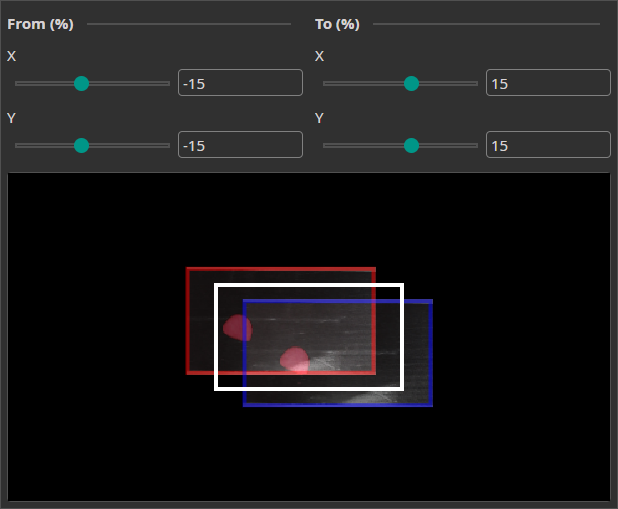
| Parameter | Description |
|---|---|
| X Range | Maximum horizontal shift (pixels) |
| Y Range | Maximum vertical shift (pixels) |
Randomly translates the image along X and Y axes. Improves robustness to positional variability in the camera field of view.
Rotate
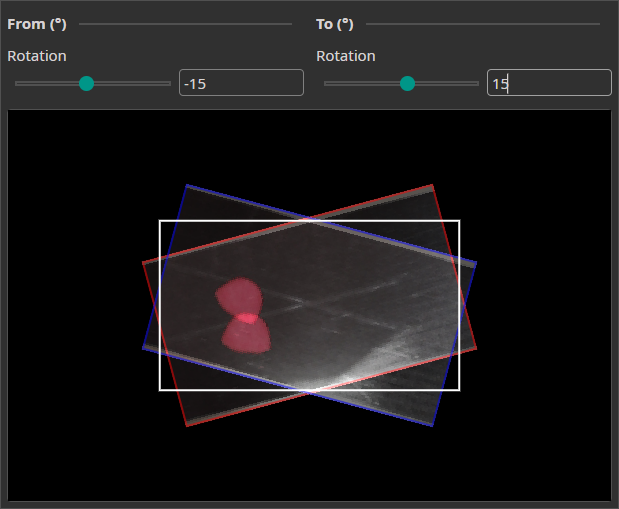
| Parameter | Description |
|---|---|
| Angle Range | Maximum rotation in degrees |
Randomly rotates images within the specified range. Enables recognition of objects at arbitrary orientations.
Flip
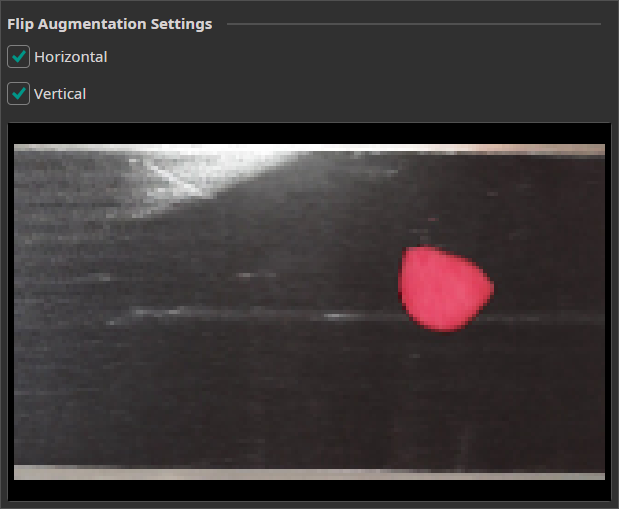
| Parameter | Description |
|---|---|
| Horizontal | Enable random horizontal mirroring |
| Vertical | Enable random vertical mirroring |
Randomly mirrors images along one or both axes.
Resize
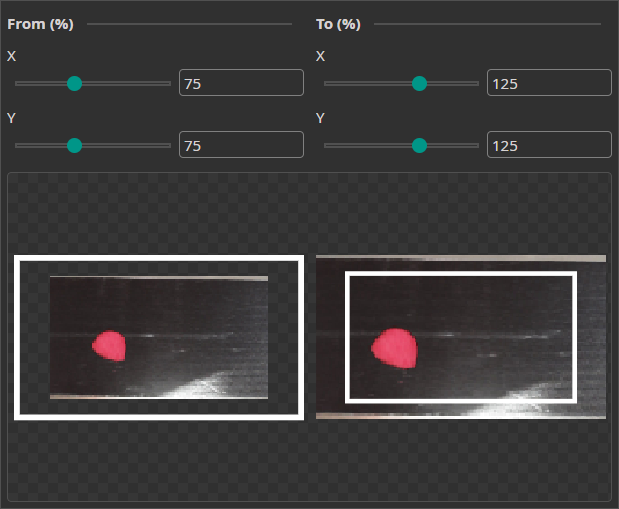
| Parameter | Description |
|---|---|
| Scale Range | Min/max scale factor |
Randomly scales images up or down. Improves robustness to varying object sizes and camera distances.
Photometric Augmentations
Color
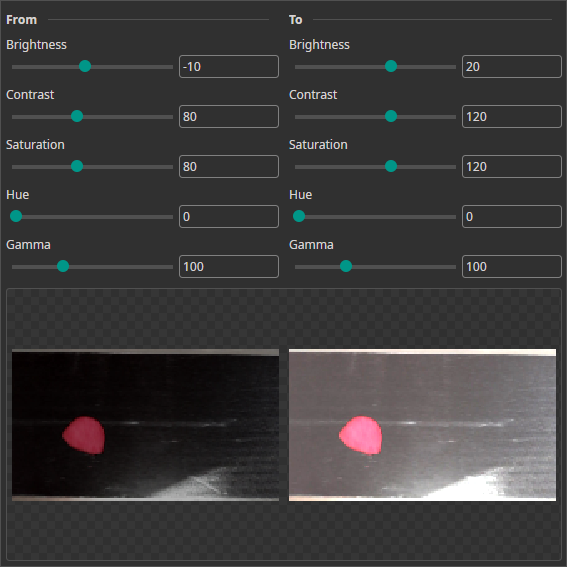
| Parameter | Description |
|---|---|
| Brightness | Random lightness variation |
| Contrast | Random contrast variation |
| Saturation | Random color intensity variation |
| Hue | Random color shift |
| Gamma | Random non-linear brightness curve |
Simulates varying lighting conditions, color temperature shifts, and exposure differences.
Frequency (Blur)
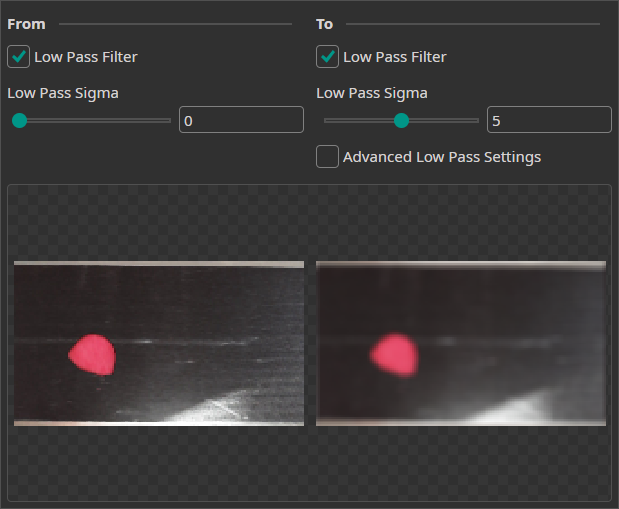
| Parameter | Description |
|---|---|
| Blur Range | Maximum blur kernel size |
Applies random low-pass filtering to simulate out-of-focus conditions.
Sharpen
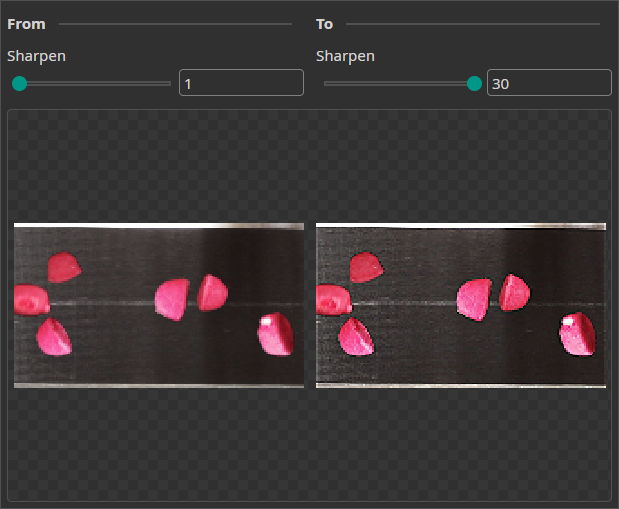
| Parameter | Description |
|---|---|
| Sharpen Range | Maximum sharpening intensity |
Randomly increases edge contrast. Complements the Frequency augmentation for focus variation.
Noise
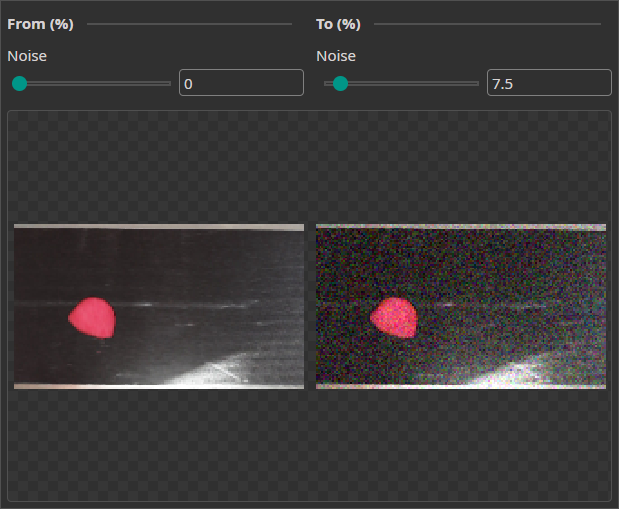
| Parameter | Description |
|---|---|
| Noise Range | Maximum noise intensity |
Adds random pixel noise to simulate sensor noise, compression artifacts, and other real-world image imperfections.

Need Help? We're Here for You!
Christopher from our development team is ready to help with any questions about ONE AI usage, troubleshooting, or optimization. Don't hesitate to reach out!