General
The Dataset tab provides tools for importing, organizing, labeling, and splitting image data used for model training, validation, and testing.
Dataset Splitting
Images are organized into three splits:
| Split | Purpose | Recommendations |
|---|---|---|
| Training (~70%) | Primary data the model learns from | Minimum 50 images per class |
| Validation | Monitors performance on unseen data during training; labels required | 20–30% of training set if no separate images available |
| Test | Final evaluation after training; should represent deployment conditions | Labels optional but recommended for quantitative metrics |

If no separate validation images are available, enable Use Validation Split to automatically partition the training set:
| Dataset Size | Recommended Split |
|---|---|
| Small | 30% |
| Standard | 20% |
| Large | 10% |

If no separate test set is available, the validation set can be used for final evaluation. Because ONE AI uses the validation set only for early stopping (not hyperparameter tuning), results will be reasonably representative.
File structure
The Import Images page explains how to import your existing data, but it is still useful to understand how the data is stored. The Train, Test and Validation tabs show previews of the images you added. These images are stored in the following subdirectories of your project root:
| Tab | Directory |
|---|---|
| Train | ./Dataset/Train/** |
| Validation | ./Dataset/Validation/** |
| Test | ./Dataset/Test/** |
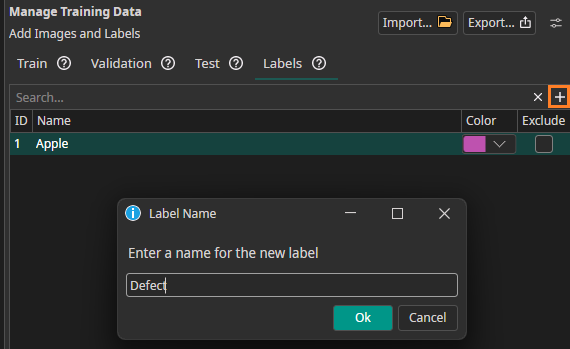
Labels
Open the Labels tab to define class labels. Each label can be assigned a unique color for visual distinction in the annotation tool.

Need Help? We're Here for You!
Christopher from our development team is ready to help with any questions about ONE AI usage, troubleshooting, or optimization. Don't hesitate to reach out!