Annotating in Multi-Image mode
Multi-Image datasets consists of image sets, which are images grouped by their filename suffixes. These suffixes need to be specified as Image Groups in the General tab. Learn more about configuring multi image projects in the General Settings section.
For demonstration purposes these set of images is used along this documentation page:
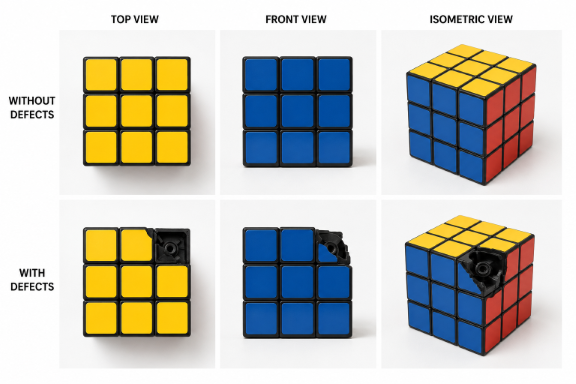
These images require the Advanced mode because we have different image types and positions.
| Setting | Value |
|---|---|
| Image Types | temp (with defects), ref (without defects) |
| Image Positions | top, front, isometric |
| Image Group Mapping | combinations from image types and positions |
Annotating
The previewed image in the Dataset tab will be determined from the last image of the overlay order. Annotating works the same as in single-image projects. The key difference is the image list in the bottom right, which lets you switch between the images in each set.
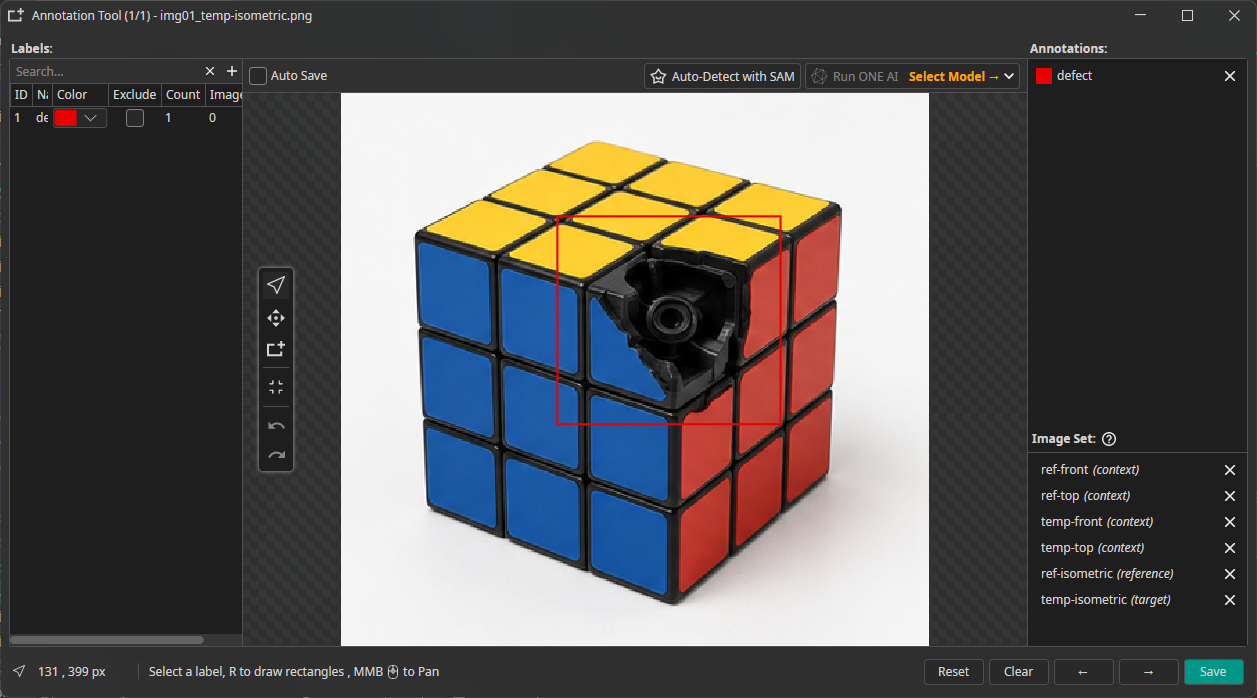
The order of these images is similar to overlay order. The last image, or target, will be displayed by default. The other images are either reference or context images:
| Image-Type | Value |
|---|---|
| (target) | The image the annotation file corresponds to, also used for prediction. |
| (reference) | Images from the same position, used e.g. for difference detection. |
| (context) | Images from a different position, supplied to the AI model as context. |
If Display annotations in overlays' is disabled, annotations are shown only for the target image.