Segmentation
Once the matching Annotation mode is selected, clicking an image in the Dataset tab opens the Annotation Tool dialog.
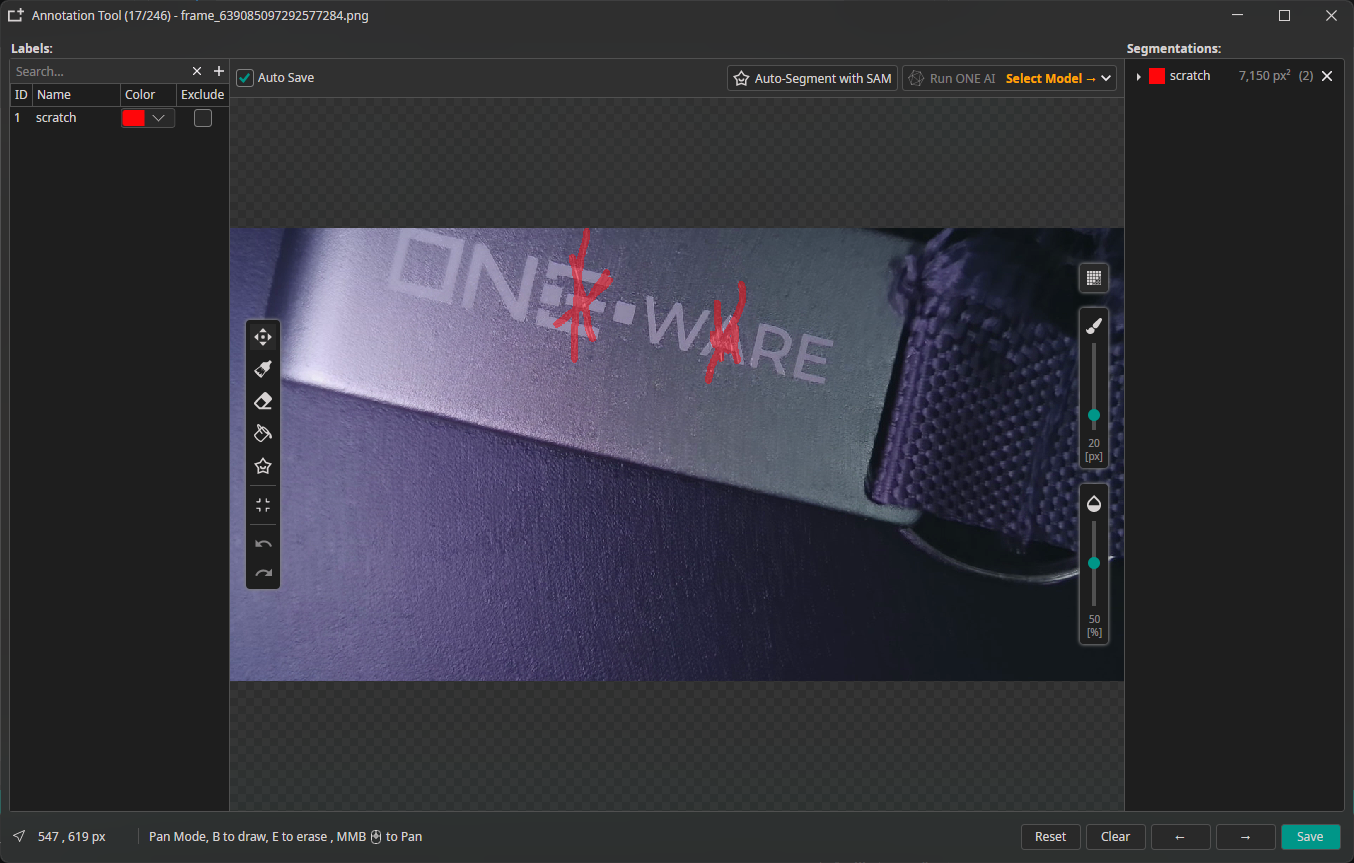
Create pixel-precise masks to delineate object boundaries.
| Shortcut | Tool | Description |
|---|---|---|
| B | Brush | Paint mask regions directly onto the image |
| S | SmartFill | Draw a rectangle — SAM automatically fills the enclosed mask |
| E | Eraser | Remove parts of existing masks |
| R | Fill Region | Fills a region using the selected label |
| Control | Range | Description |
|---|---|---|
| Brush size | 4–120 px | Adjustable via slider |
| Opacity | 0–100% | Controls mask overlay transparency |
| Segmentation toggle | true/false | Toggles the visibility of the segmentation bitmap |