Capability modes
When creating a new project, you have to select a capability mode. The default mode is Basic. If you need more fine-grained control over your ONE AI project, select the Advanced capability mode to unlock additional settings.
You can change the mode at any time under AI -> Capability mode:
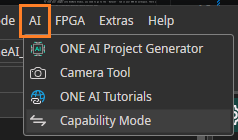
Choose your mode
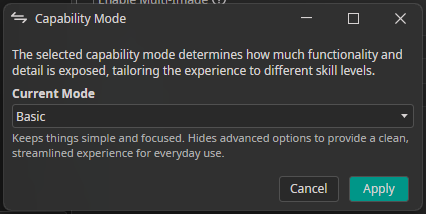
Mode description
| Property | Description |
|---|---|
| Basic | Keeps things simple and focused. Hides advanced options to provide a clean, streamlined experience for everyday use. |
| Advanced | Designed for experienced users who want full control. Reveals advanced settings and additional properties for deeper customization and fine-tuning. |
Note: Switching from Advanced back to Basic resets all advanced settings to their initial values.