Import images
Access the Dataset tab to manage training data.
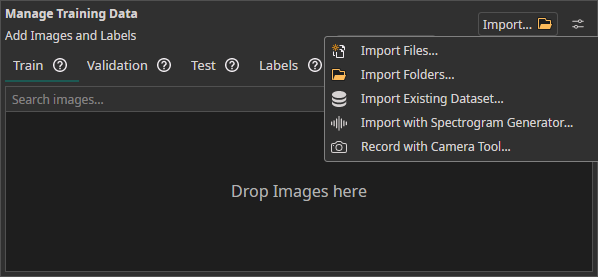
Import Methods
| Method | Description |
|---|---|
| Drag & Drop | Import image files directly into the workspace |
| Import Files / Import Folders | Load unlabeled image data from the local filesystem |
| Import Dataset | Load a pre-labeled dataset in a supported annotation format |
| Camera Tool | Capture images directly from connected cameras (multi-camera supported) |
| Spectrogram Generator | Convert audio or CSV files into spectrogram images |
Supported Annotation Formats
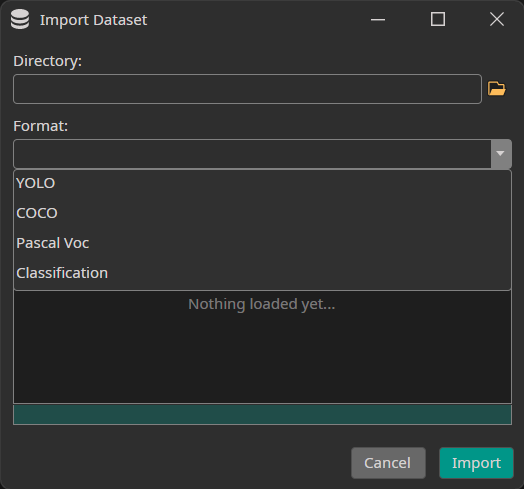
| Format | Description |
|---|---|
| YOLO | .txt annotation files with normalized bounding box coordinates |
| COCO | JSON annotation file with bounding boxes and segmentation masks |
| Pascal VOC | XML annotation files per image |
| Classification | Directory-per-class folder structure |
| PNG Mask (Semantic) | Per-image PNG masks where pixel values encode class IDs — for semantic segmentation datasets |
Example Datasets
Try one of these demo datasets to get started quickly: